- Used Computers Monitors Deals
- sku: 1660529106474652
- MSI OPTIXMAG274QRFQ
OPTIXMAG274QRFQ MSI Optix Qd Wqhd Gaming Monitor Gtg
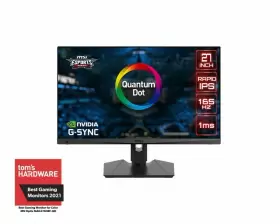
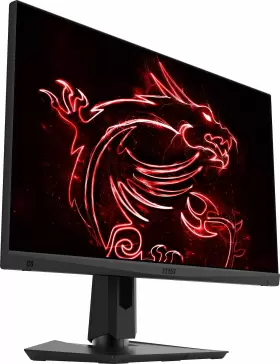
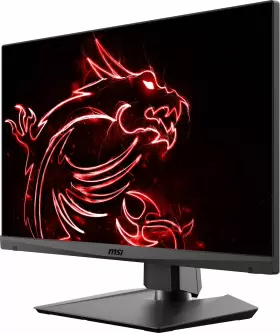
| Brand | MSI |
|---|---|
| Manufacturer Part Number | OPTIXMAG274QRFQ |
| Model | MAG274QRF-QD |
| Part Type | MONITOR |
| Feature 1 | QUANTUM DOT WQHD |
| Feature 2 | 165HZ REFRESH RATE |
| 1ms | GTG FAST RESPONSE TIME |
| Feature 3 | WIDE COLOR GAMUT DCI-P3 94 SRGB 131 |
| Feature 4 | ANTI-FLICKER AND LESS BLUE LIGHT REDUCE EYE STRAIN AND FATIGUE |
| Feature 5 | FRAMELESS DESIGN ULTIMATE GAMEPLAY EXPERIENCE |
| Feature 6 | IPS PANEL DESIGNED FOR A TRULY PREMIUM QUALITY PICTURE |
| Feature 7 | TILT, HEIGHT |
| Swivel And Pivot | 90 90 ADJUSTABLE |
| Feature 8 | VESA MOUNTABLE 100 X 100 MM |
| Feature 9 | MSI GAMING OSD EASILY CONFIGURE MONITOR BY KEYBOARD MOUSE |
| Feature 10 | REAR RGB MYSTIC LIGHT THE ULTIMATE GAMING FINISH |
| Display Resolution | 2560 X 1440 |
| Dci-p3 / Srgb | 97 / 147 |
| Power Input | 100 240V, 50 60 HZ |
| I/o Ports | DP X1, HDMI X2, USB TYPE-C X1, USB2.0 X2, USB2.0 TYPE-B X1 |
| Control | 5-WAY ON-SCREEN DISPLAY |
| Dimensions / Weight | 24.21 X 20.97 X 8.14 INCHES / 13.34 LBS. |
| UPC | 824142222812 |
| Screen Size | 27 IN |
| Brightness | 300 CD/M |
| Response Time | 1 MS |
| Refresh Rate | 165 HZ |
| Video Inputs | DISPLAYPORT, USB-C, HDMI STANDARD |
| Color | BLACK |
| Most Suitable For | GAMING |
| Display Type | IPS LED |
| Contrast Ratio | 1000 |
| Features | ANTI-GLARE |
Review MSI Optix Mag274qrf Qd Inch Wqhd Gaming Monitor 165hz/1ms Gtg
The MSI Optix Mag274QRF-QD is a sophisticated 27-inch WQHD (2560 x 1440) gaming monitor that promises an immersive visual experience. This monitor is equipped with a 165Hz refresh rate, ensuring smooth and lag-free gameplay, even in fast-paced action games. The 1ms GTG (Grey-to-Grey) response time further enhances the monitor's performance, reducing ghosting and smearing, ensuring crisp and clear motion blur-free images.
The star of this display is its Quantum Dot (QD) technology. This cutting-edge technology delivers a wide color gamut, capable of displaying over 95% DCI-P3 colors, resulting in vibrant and lifelike images. This makes the MSI Optix Mag274QRF-QD an excellent choice for content creators and graphic designers who require accurate color representation.
The monitor boasts an IPS panel with 178-degree viewing angles, ensuring consistent color and contrast from virtually any angle. This feature is particularly beneficial for multiplayer gaming sessions or when working in a collaborative environment. The monitor also supports HDR 400, providing a wider dynamic range and enhanced contrast, bringing out the finest details in both dark and bright areas.
The MSI Optix Mag274QRF-QD features an ergonomic design with adjustable stand, allowing you to tilt, swivel, and adjust the height to find the most comfortable viewing position. The monitor also comes with built-in speakers for audio output, but for a more immersive experience, the HDMI and DisplayPort connections support 5.1 audio output when connected to a compatible sound system.
Additionally, the monitor is equipped with various gaming features, such as Motion Blur Reduction, Blue Light Reduction, and Dark Boost. These features aim to reduce eye strain, improve image quality, and enhance the overall gaming experience. The monitor also includes gaming modes, such as FPS, RTS, and RPG, which can be customized to suit specific game genres.
In conclusion, the MSI Optix Mag274QRF-QD is a high-performance gaming monitor that combines superior image quality, fast response times, and ergonomic design. Its support for Quantum Dot technology, wide color gamut, and HDR ensure vibrant and accurate colors, making it an excellent choice for both gaming and content creation.
Pros of MSI Optix Mag274QRF-QD:1. High refresh rate: The monitor boasts a 165Hz refresh rate, which can significantly reduce motion blur and make fast-paced games smoother.
2. Fast response time: With a 1ms GtG (gray-to-gray) response time, this monitor can display transitions between colors quickly, reducing ghosting and trailing.
3. QD-OLED panel: The QD-OLED (Quantum Dot-Organic Light Emitting Diode) panel provides excellent color accuracy, deep blacks, and an impressive contrast ratio.
4. Wide color gamut: The monitor supports a wide color gamut (100% DCI-P3 and 98% Adobe RGB), making it ideal for creative professionals and gaming enthusiasts.
5. HDR 400: The monitor features HDR 400, which enhances the dynamic range and color depth of the images you see.
6. 1440p resolution: With a resolution of 2560x1440 pixels, this monitor offers crisp and detailed visuals, making it suitable for both gaming and professional use.
7. Adjustable stand: The monitor comes with an adjustable stand that allows for tilt, swivel, and height adjustments, ensuring a comfortable viewing angle.
Cons of MSI Optix Mag274QRF-QD:1. Price: The MSI Optix Mag274QRF-QD is quite expensive compared to other 1440p gaming monitors, which may make it less accessible to some users.
2. Limited connectivity: The monitor only has one DisplayPort 1.4 and two HDMI 2.0 ports, which may not be enough for users who need to connect multiple devices.
3. No USB hub: The monitor does not have a built-in USB hub, which can be a downside for users who need to connect multiple peripherals.
4. Limited size: With a 27-inch screen size, this monitor may not be suitable for users who prefer larger monitors for multitasking or productivity purposes.
Conclusion:The MSI Optix Mag274QRF-QD is an excellent gaming monitor that offers a high refresh rate, fast response time, and stunning color accuracy. Its QD-OLED panel provides deep blacks and an impressive contrast ratio, making it a great choice for both gaming and professional use. However, its high price and limited connectivity options may make it less accessible to some users. If you can afford it and don't need a lot of connectivity options, this monitor is definitely worth considering.
Recommendation:If you are looking for a high-performance gaming monitor with excellent color accuracy and fast response time, then the MSI Optix Mag274QRF-QD is an excellent choice. Its QD-OLED panel provides a stunning visual experience that is hard to beat, making it a great investment for serious gamers and creative professionals. However, if you are on a tighter budget or need more connectivity options, you may want to consider other monitors that offer similar specifications at a lower price point.
Details:
specifications monitorpug:
- brand: Msi
- mpn: Optixmag274qrfq
- model: Mag274qrf-qd
- part type: Monitor
- feature 1: Quantum Dot Wqhd
- feature 2: 165hz Refresh Rate
- 1ms: Gtg Fast Response Time
- feature 3: Wide Color Gamut Dci-p3 94 Srgb 131
- feature 4: Anti-flicker And Less Blue Light Reduce Eye Strain And Fatigue
- feature 5: Frameless Design Ultimate Gameplay Experience
- feature 6: Ips Panel Designed For A Truly Premium Quality Picture
- feature 7: Tilt, Height
- swivel and pivot: 90 90 Adjustable
- feature 8: Vesa Mountable 100 X 100 Mm
- feature 9: Msi Gaming Osd Easily Configure Monitor By Keyboard Mouse
- feature 10: Rear Rgb Mystic Light The Ultimate Gaming Finish
- display resolution: 2560 X 1440
- dci-p3 / srgb: 97 / 147
- power input: 100 240v, 50 60 Hz
- i/o ports: Dp X1, Hdmi X2, Usb Type-c X1, Usb2.0 X2, Usb2.0 Type-b X1
- control: 5-way On-screen Display
- dimensions / weight: 24.21 X 20.97 X 8.14 Inches / 13.34 Lbs.
- upc: 824142222812
- screen size: 27 In
- brightness: 300 Cd/m
- response time: 1 Ms
- refresh rate: 165 Hz
- video inputs: Displayport, Usb-c, Hdmi Standard
- color: Black
- most suitable for: Gaming
- display type: Ips Led
- contrast ratio: 1000
- features: Anti-glare
seller monitorpug:
- rating: 98.6%
- # reviews: 8692
- city: rowland height, california
payments monitorpug:
- credit card: discover
- wallet: google-pay
shipping monitorpug:
- carrier: fedex
- transit: 4-7 days
- type: calculated
- class: standard, expedited, one-day
- service: fedex ground or fedex home delivery, fedex express saver, fedex 2day, fedex priority overnight
returns monitorpug:
- policy: returns accepted
- paid by: seller
- time: 30 days
- method: money back
general monitorpug:
- category: Computers > Computers/tablets Networking > Monitors, Projectors Accs
offer monitorpug:
- in stock #: 5
- sold #: 39
- options: ship-to-home
- prices: $32.75–$374.99
- item condition:
- Open box
- New
- availability: in stock
- started: april 10, 2024
Similar Items:
- Msi Md241p Modern 24 Inch Hd Business Flat Ips Monitor 75hz 5ms Build-in Speaker Part #: Msi MD241P for sale...(January 22nd, 2024)
- Msi Optixmag27cq Optix Mag27cq 27 Inch Wqhd 144hz Curved Gaming Monitor Wide View True Colors Part #: Msi OPTIXMAG27CQ for sale...(January 25th, 2024)
- Msi G271cqr Cr Optix 27 Inch Wqhd Curved Gaming Monitor 165hz 1ms Rgb Part #: Msi G271CQR for sale...(January 25th, 2024)
- Msi Optixmag321cqr Optix Mag321cqr 32 Inch Qhd Rgb Ips Non-glare Adjustable Curved Gaming Monitor The 2560 x 1440 maximum resolution and ips led display type provides stunning visuals, while the 3000:1 contrast ratio creates deep blacks bright whites. This monitor is perfect for games who demand the best in performance and design. Used since 2020 , works flawlessly. Enjoy user-friendly features...(February 11th, 2024)
- Msi G274qpf 27 Inch Gaming Monitor 2560x1440 2k 170hz Usb-c Certified Refurbished The tilt stand adjustments allow for comfortable viewing. With a maximum resolution of 2560X1440 and refresh rate 170HZ, this monitor delivers clear smooth image. It has various video inputs including usb-c, displayport and hdmi. Get yourself this Msi G274QPF gaming monitor and take your gaming ...(February 14th, 2024)
- Msi Optixmpg343cqr Mpg Artymis 343cqr 34 Inch Gaming Monitor 3440 X 1440 Uwqhd Va 165hz F Part #: Msi OPTIXMPG343CQR for sale...(February 26th, 2024)
- Msi G244f 24 Inch Fhd Flat Rapid Ips Gaming Monitor 170hz 1ms Amd Freesync Premium Part #: Msi G244F for sale...(March 1st, 2024)
- Msi 824142288009 Main Board For Optix G32cq4 E2 Qhd Shipped with USPS ground advantage. Main board for Msi optix G32CQ4 e2 qhd. Condition is used...(March 5th, 2024)
- Msi Optixg271 Optix G271 27 Inch Fhd 1920x1080 144hz 1ms 16 9amd Radeon Freesync Monitor Items are shipped from multiple locations throughout the USA. Unfortunately, local pick-up is not available. Item condition the item in this listing is an open box packaging maybe slightly distressed the unit powers on with factory settings restored and includes the original accessories. Warranty ...(March 11th, 2024)
- Msi Optixmag24c Optix-mag24c 24 Inch Hd Curved Led Gaming Monitor For Parts not Working Mpn: OPTIXMAG24C. Screen size: 24 in. We were unable to test the full functionality of this item. Refresh rate: 144 hz. Color: black. Most suitable for: gaming. Due to: no power cord unable to test. Features: curved screen,adaptive-sync,tillable,anti-glare. Monitor, stand. Video inputs: displayport,...(March 11th, 2024)
- Msi Optixmag272cqr Optix Mag272cqr 27 Inch Widescreen Led Monitor Curved Gaming 165hz 2560x1440 Light scratches and scuffs...(March 11th, 2024)
